
This is the written companion to the free "Clinic Queue & Wait Estimate" video on the myeasytool YouTube channel. The whole thing is one Google Sheet with three working tabs — Doctors, Queue, and Display — built for a walk-in clinic with one or more doctors seeing patients without appointments.
Doctors tab: where the real wait estimate comes from
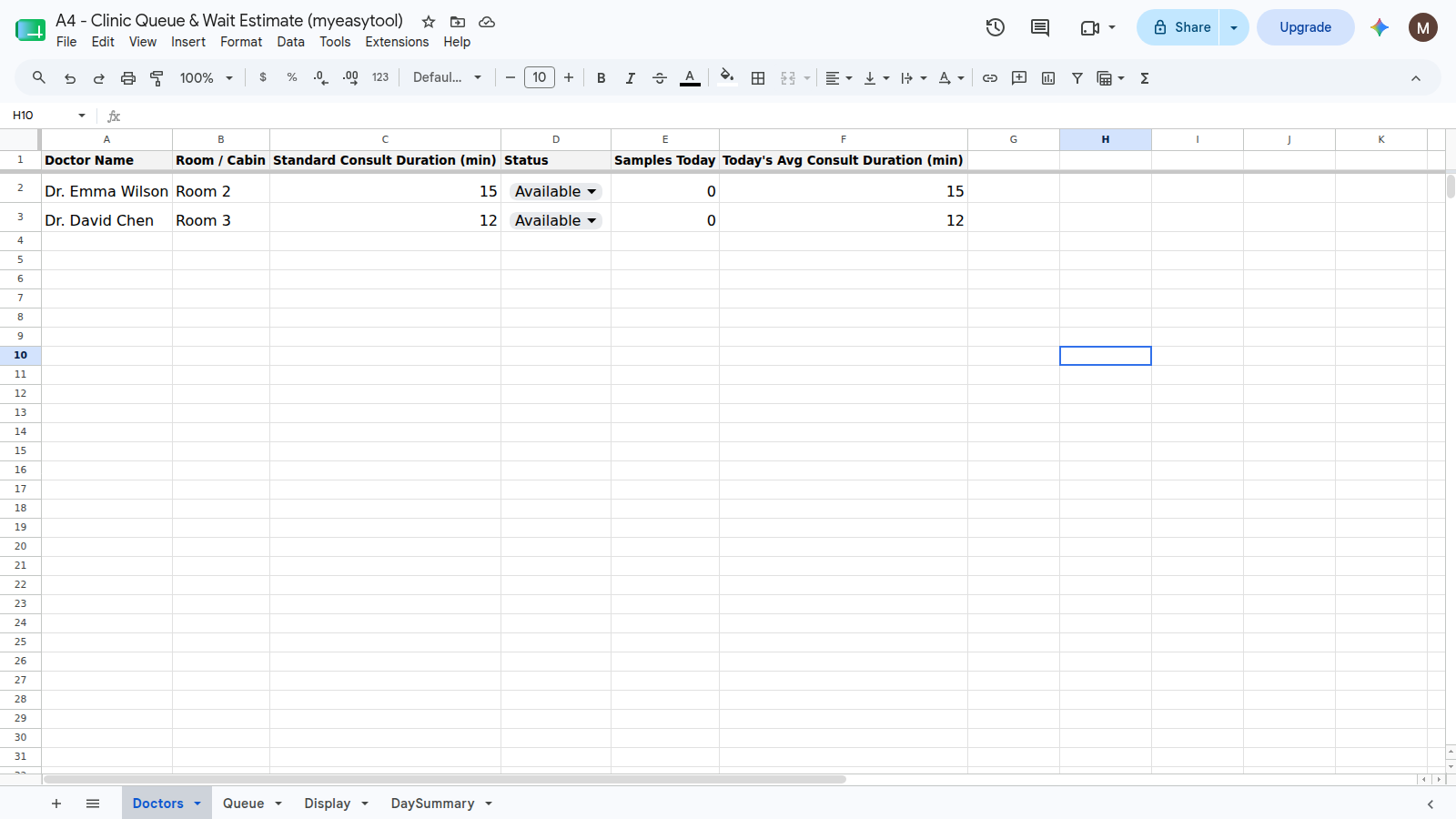
Every doctor gets one row: name, room, and a column that calculates their average consult time today, from the patients they've already seen. This is the piece that makes the wait estimate honest instead of a guess — a doctor running fast today gives shorter estimates than yesterday's average would, and a doctor running behind gives longer ones. No manual entry; it's a formula reading the Queue tab's timestamps.
Queue tab: where reception and the doctor both work
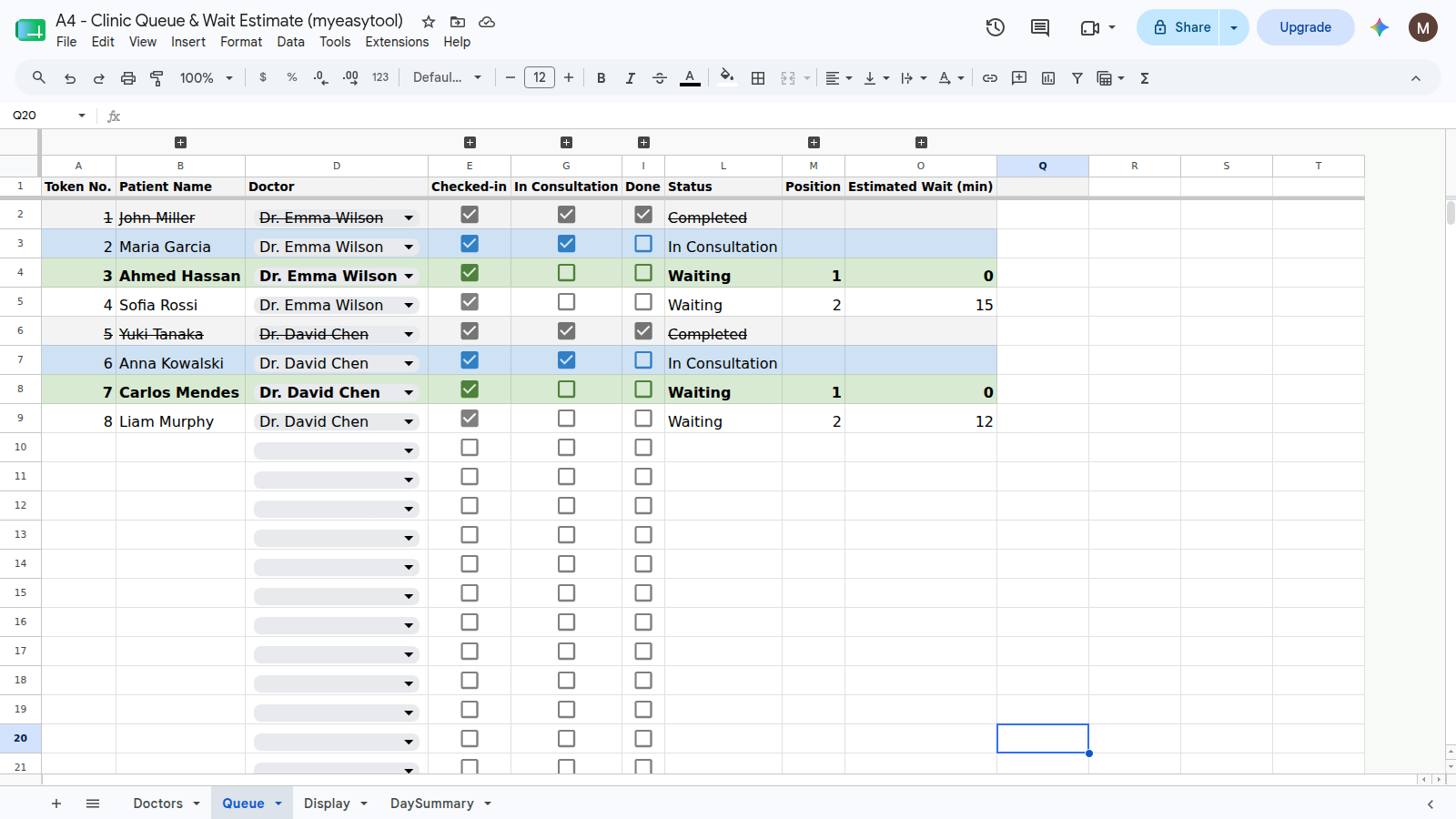
This is the working tab. Reception types a patient's name, picks a doctor from a dropdown,
and ticks Checked-in. From there, formulas take over:
- Status —
Waiting,In Consultation, orCompleted, driven by which checkboxes are ticked. - Position — this patient's place in line for their specific doctor, not the whole clinic — a `COUNTIFS` counting waiting patients ahead of them.
- Estimated wait — position multiplied by that doctor's real average consult time from the Doctors tab.
Getting a real "checked-in at" timestamp without Apps Script needs one iterative-calculation trick — a single self-referencing cell that only fires once, the first time a checkbox is ticked, and holds after that. It's the one genuinely fiddly part of the build, and it's worth getting right, since the average-consult-time column depends on it.
Display tab: the one for the waiting-room TV
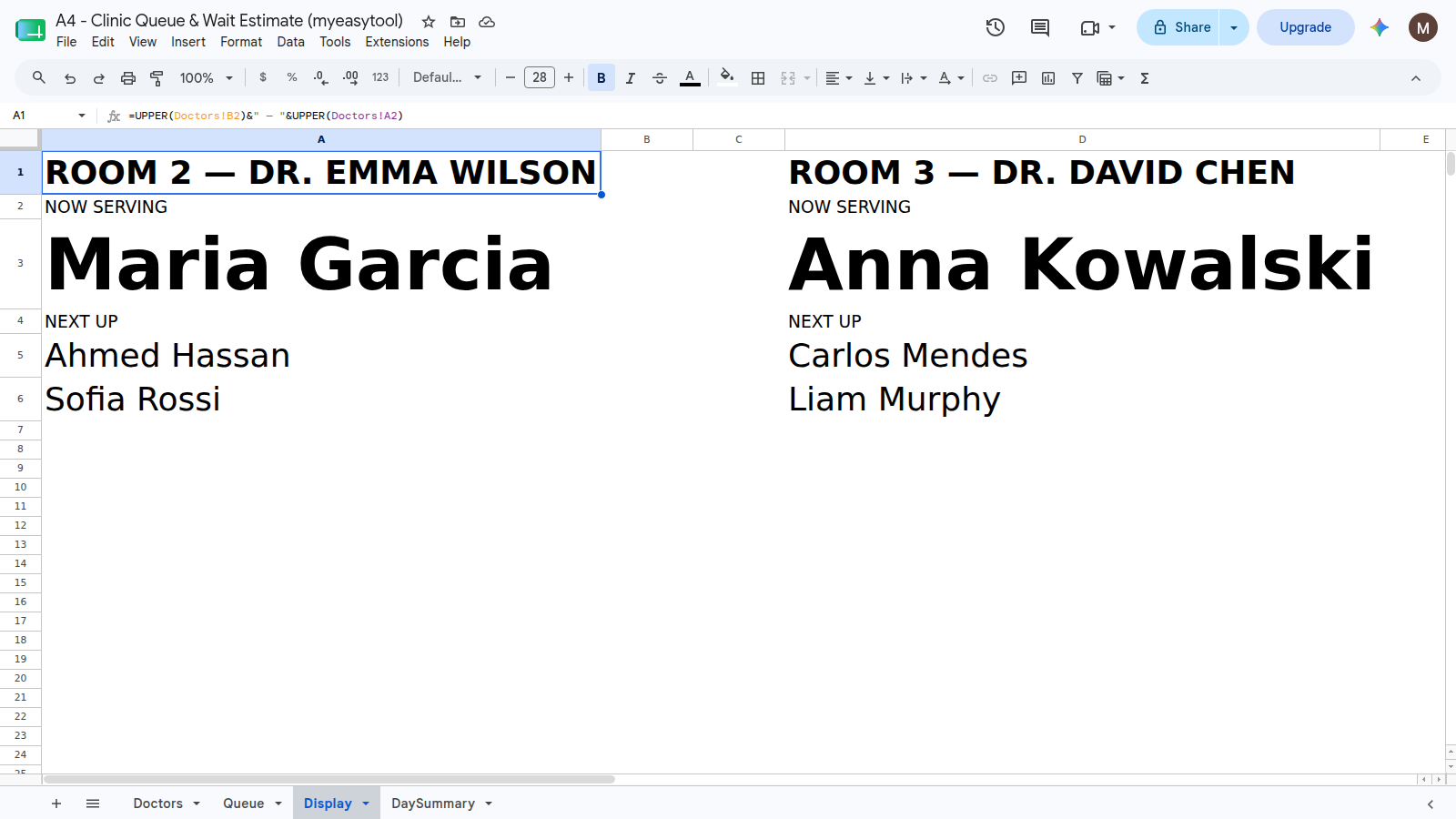
A read-only view, deliberately kept separate from the working Queue tab — this is the one tab that goes on a TV or spare tablet in the waiting room. Large type, one card per doctor, current patient and next-up. Nobody should ever need to touch this tab directly; if it's wrong, the fix is always on the Queue tab.
The full build, explained step by step: watch the video. Or skip straight to the hosted version if a shared spreadsheet is already more than one clinic needs to manage.
Where a spreadsheet like this actually breaks
Being honest about the limits: this design assumes everyone editing it is trustworthy with the sheet's structure. There's no real login — anyone with edit access can see or change any row, and a stray keystroke in the wrong cell can break a formula for everyone. For a solo practice or a small, careful team, that's rarely a problem in practice. It becomes one once more staff are involved, or once the display tab is running unattended on a TV where a broken formula would be embarrassing in front of a full waiting room — which is the specific gap the hosted version closes, without changing the underlying idea at all.